
Every organization that stores, processes, or transmits cardholder data must comply with PCI DSS.
The most recent version of the standard (4.0.1) includes two new requirements for managing client-side scripts on payment pages. These state that organizations must inventory, authorize, justify, and assure the integrity of all client-side payment page scripts (requirement 6.4.3) and be alerted to unauthorized modification of security-impacting HTTP headers and the script contents of payment pages (requirement 11.6.1).
Using HUMAN with Jira to comply with PCI DSS requirements 6.4.3 and 11.6.1
Without the right tool, adhering to these requirements is manual and time-consuming–if not virtually impossible. HUMAN’s PCI DSS Compliance solution simplifies payment page script management in compliance with PCI DSS 4. Customers can manage compliance workflows in the HUMAN console or integrate the solution with Jira and other popular ticketing systems to streamline your workflows and protect your payment pages. Here’s why this integration is essential:
How HUMAN’s integration works
Follow these steps to set up script authorization and justification workflows using Jira:
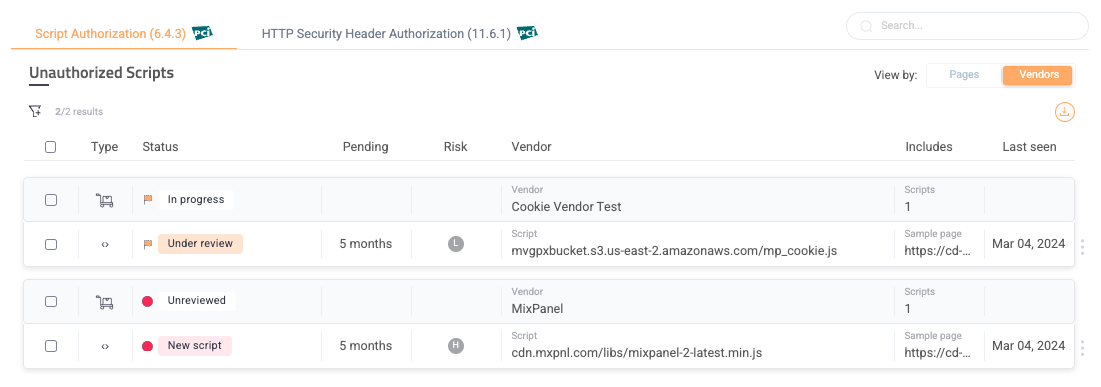
After embedding HUMAN’s single line of JavaScript code on your website, the PCI DSS dashboard will display scripts and HTTP headers that need review and authorization on payment pages.
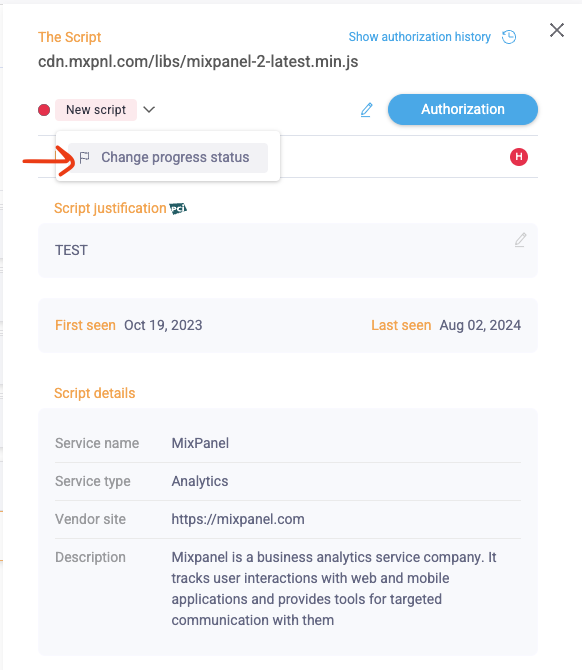
Clicking on a script will open the script summary window, containing additional important information about the script (e.g., vendor description and dates when the script was first introduced). Users can click Change Progress Status from the New Script drop-down to initiate the authorization and justification workflow using third-party integration platforms (e.g., Jira, Slack or email).
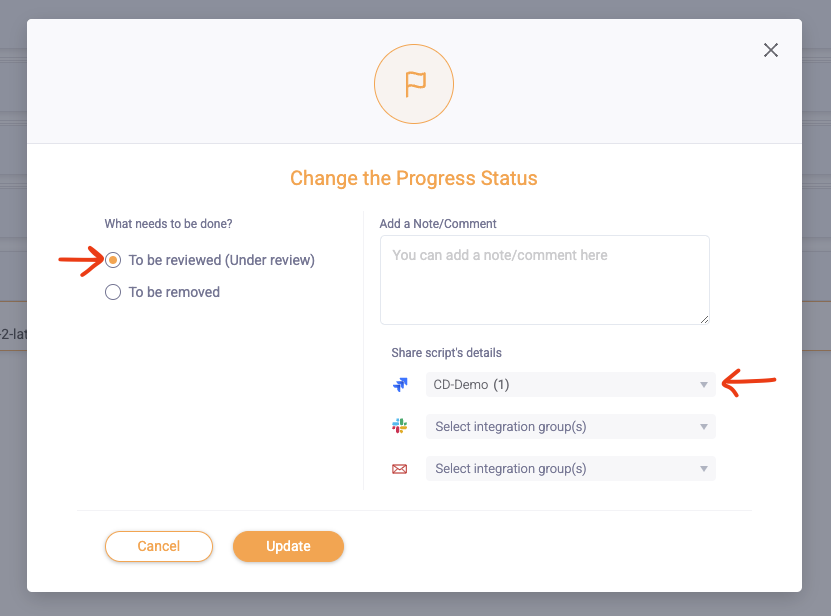
This action will trigger ticket creation in a dedicated Jira Board (which is configured in the Integration section in the HUMAN console).
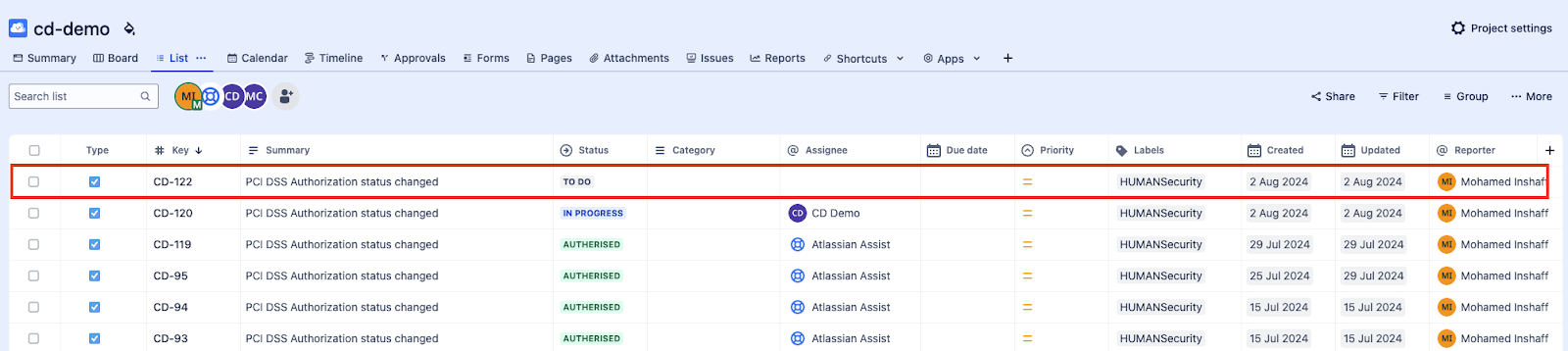
When you open the newly-created Jira ticket, all information related to the script found in the HUMAN PCI DSS Compliance dashboard will be present under Description.
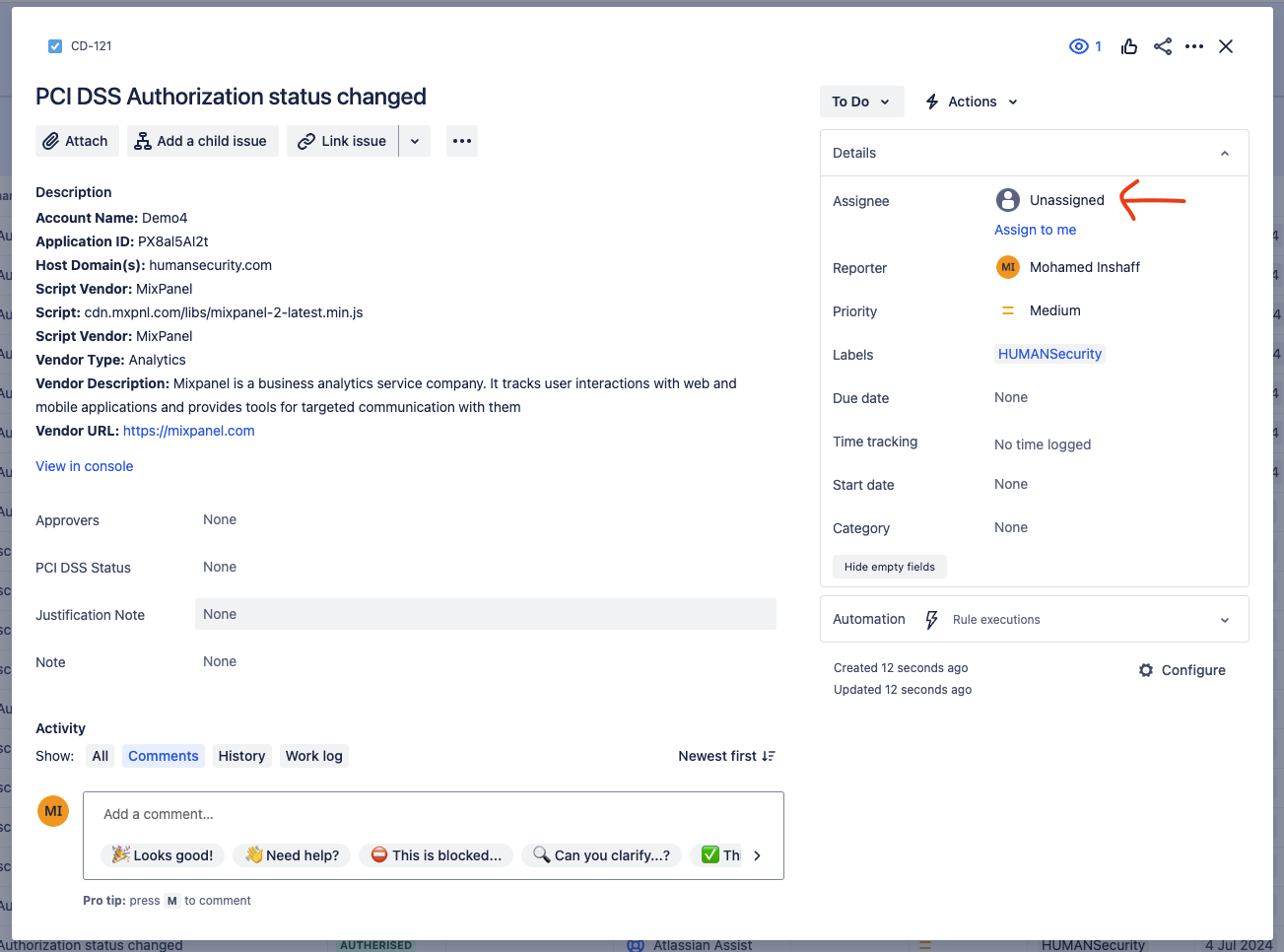
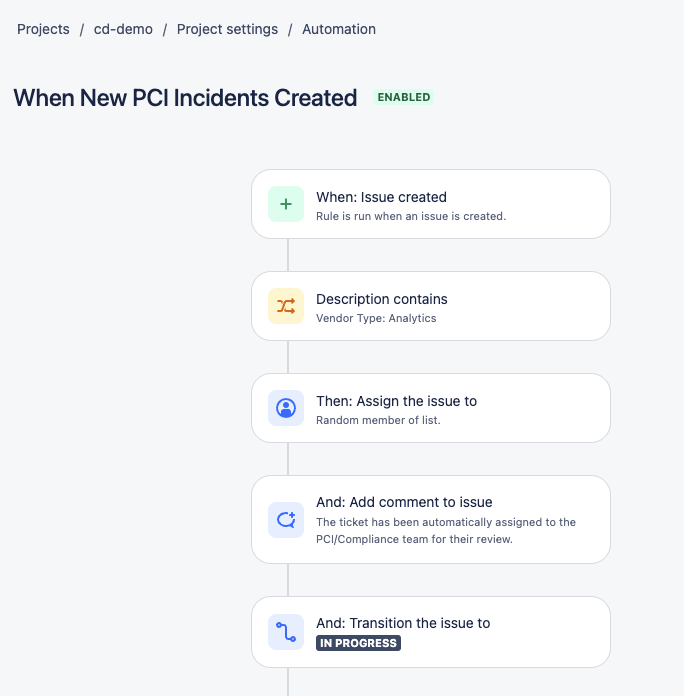
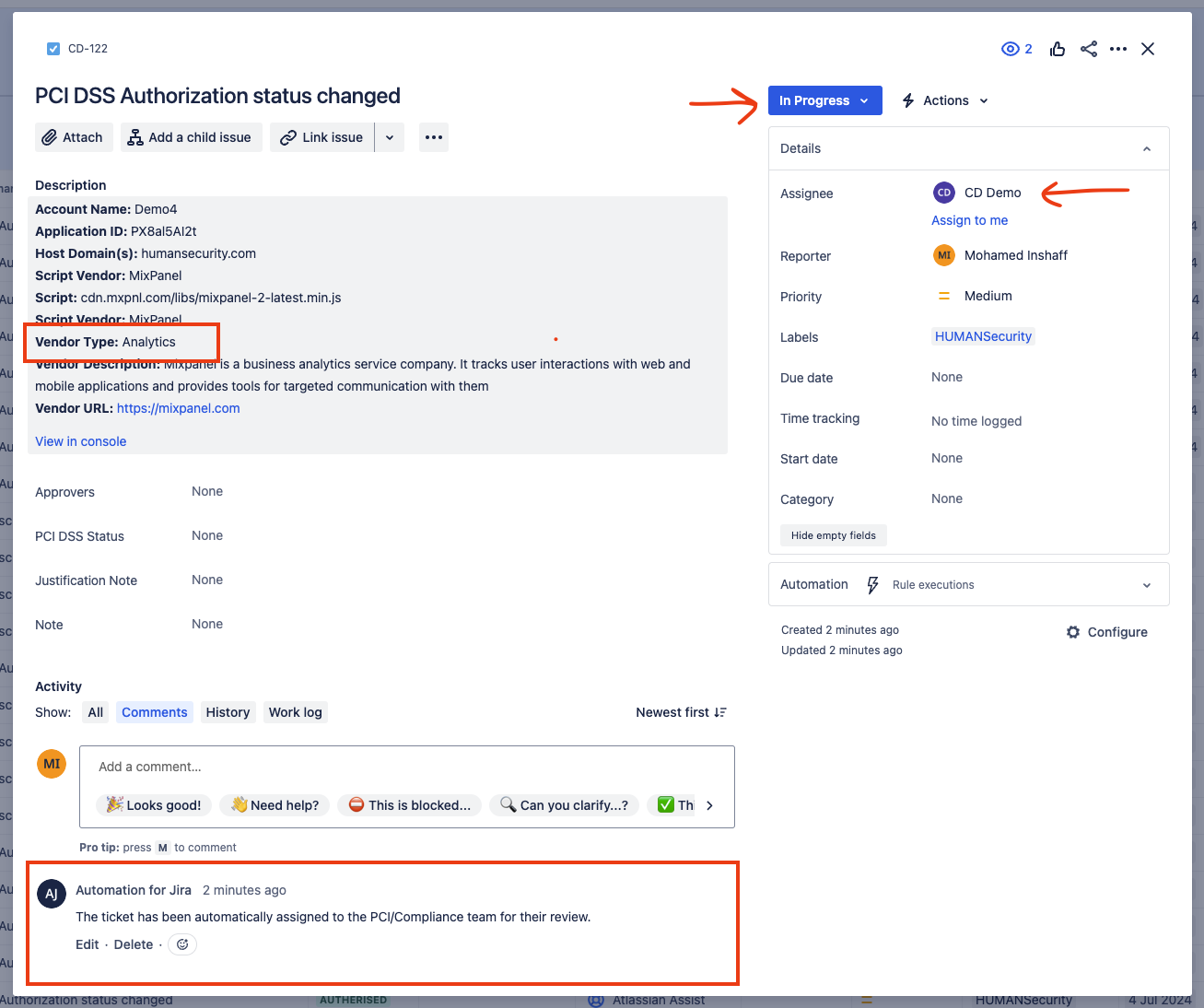
You can use Jira’s automation capability to assign the ticket to its intended owner based on fields such as Vendor type, populated by HUMAN in the ticket’s description. Furthermore, Jira automation can also add a comment to the ticket and change the status of the ticket from To Do to In Progress.
Once the ticket is assigned to an individual or group, they will receive a notification from Jira informing them that they have been assigned a task.
E.g., Jira automation workflow:
Ticket status after Jira automation executed:
The above process can be fully automated by enabling PCI DSS Notification to Jira in the HUMAN console. When a new script is detected or an existing script is modified, HUMAN will automatically create a ticket in Jira.
You can now update the PCI-specific field in the ticket and set the appropriate value for PCI DSS Status from the dropdown (Under Review, Authorized, Unauthorized, To be removed) and add a justification note.
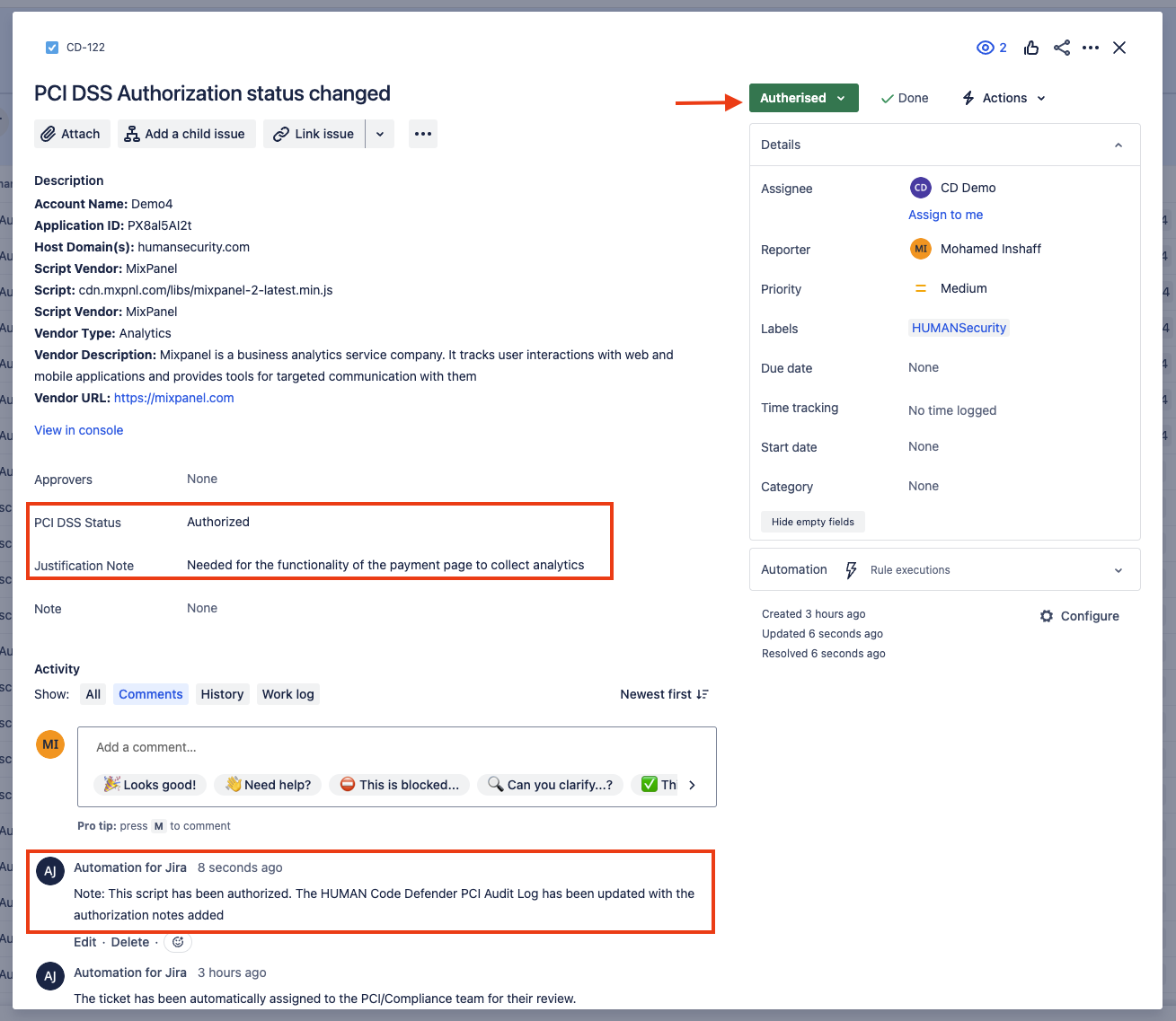
You can utilize Jira’s automation capability to change the status of the Jira ticket once the user has changed the PCI DSS Status to, for example, Authorized and add a justification note as shown above.
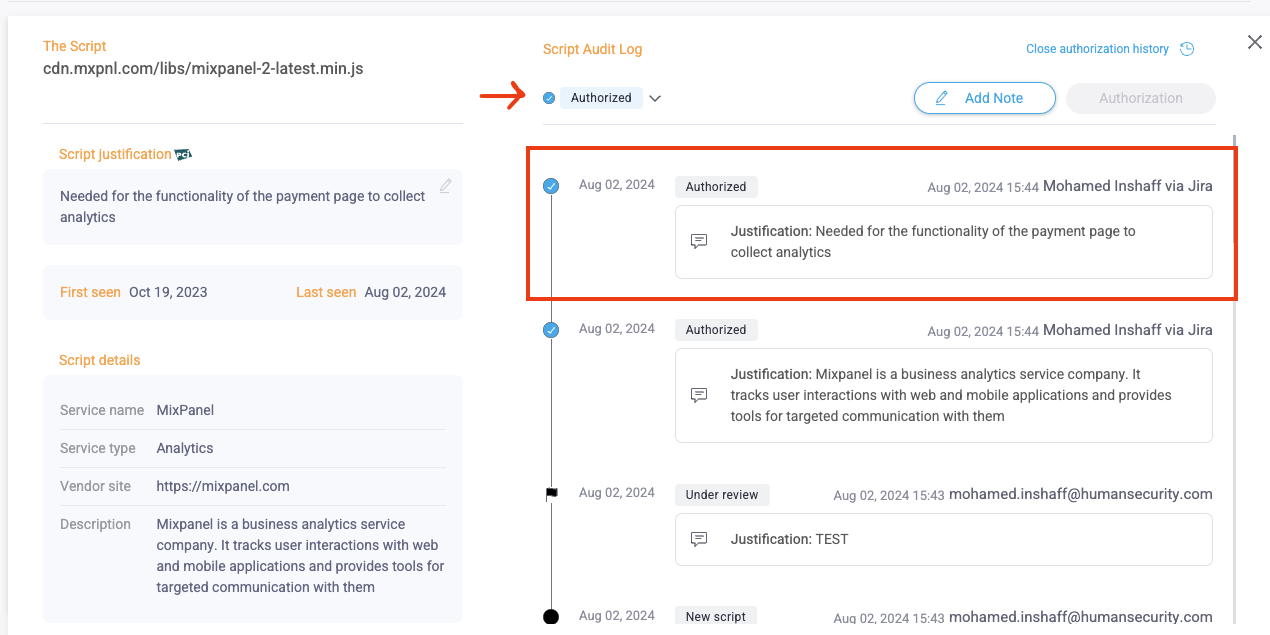
The Jira bidirectional data synchronization feature will automatically update any changes made in a Jira ticket to the HUMAN console. As a result, all updates in Jira will be logged under the scripts audit logs–one of the key requirements of 6.4.3 and 11.6.1.
HUMAN-Jira Integration benefits
By integrating HUMAN PCI DSS Compliance with Jira, organizations can further automate and streamline payment page protection in compliance with requirements 6.4.3 and 11.6.1. Combining HUMAN’s continuous monitoring with Jira’s robust ticketing tracking and reporting capabilities improves collaboration and ensures accountability. Organizations can establish workflows and automations for inventorying, authorizing and justifying scripts in Jira, so they manage tasks effectively to achieve and maintain security and compliance.