
ChatGPT Atlas, built by OpenAI, and Comet, created by Perplexity, represent a new source of web traffic: agentic browsers.
These are “AI-first” browsers that handle complex actions on behalf of the user, going beyond traditional browser functionalities. Instead of simply rendering webpages, these browsers interpret content, execute tasks, and automate multi-step workflows such as shopping, research, planning, and comparison browsing.
We’ve previously broken down the signals that differentiate agent-driven traffic from human or automated bot activity, patterns that now appear prominently in Atlas and Comet sessions. With that foundation, we can examine how these agentic browsers generate and express that traffic in practice.
On the surface, Atlas and Comet look like Chrome
Both Atlas and Comet are built on the Chromium engine, and, if we rely on basic fingerprinting techniques to identify them, they appear almost identical to a generic Chrome browser.
Key properties such as navigator.userAgent Mozilla/5.0 (Macintosh; Intel Mac OS X 10_15_7) AppleWebKit/537.36 (KHTML, like Gecko) Chrome/142.0.0.0 Safari/537.36 and navigator.userAgentData (Client Hints) brands return values that are effectively indistinguishable from Chrome:
[{"brand":"Chromium","version":"142"},

{"brand":"Google Chrome","version":"142"},

{"brand":"Not_A Brand","version":"99"}]
From a basic fingerprinting perspective, that means:
A small but telling difference: speechSynthesis
One subtle but illustrative divergence appears in the speechSynthesis API.
Atlas does not surface them in the same way.

This alone is not a robust detection signal, but it is a concrete example of how small implementation choices create observable variance, even when the overall browser fingerprint aims to match Chrome.
Extensions and instrumentation: How agentic browsers take control of the page
Let’s take a look at browser extensions for some more clues.
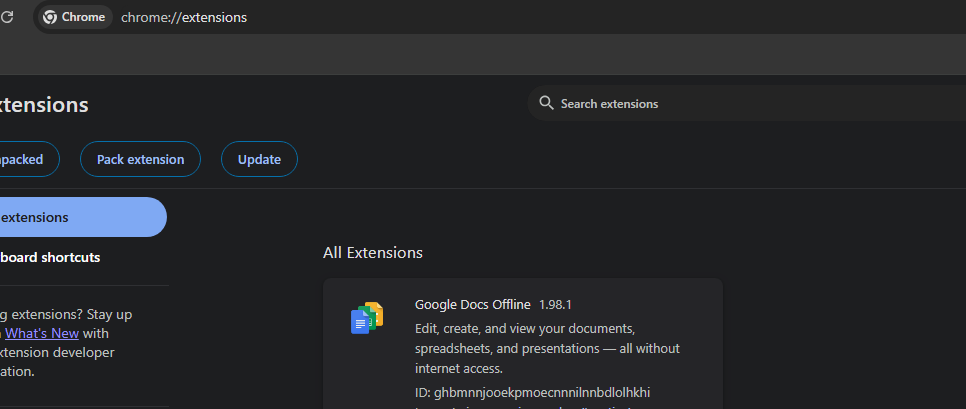
In a standard Chrome installation, core extensions such as Google Docs Offline are present by default.
In both Atlas and Comet, if you navigate to their extensions pages (e.g., atlas://extensions for Atlas or comet://extensions/ for Comet), it appears that no extensions are installed.
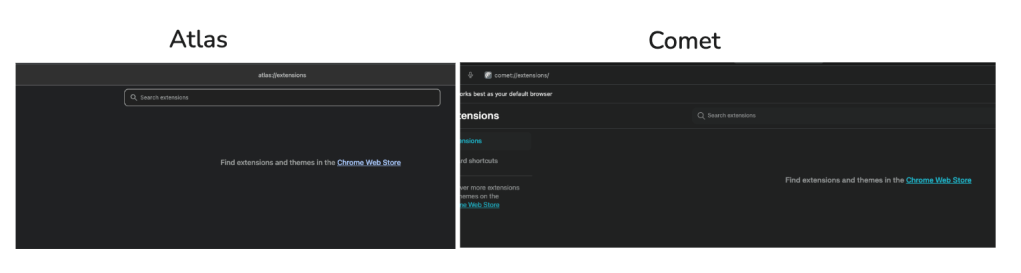
However, this is not entirely accurate. At least not for Comet. Let’s take a closer look at what happens in Comet when agentic mode takes control.
Perplexity Comet’s internal extension and in-browser instrumentation
When Comet enters its agentic mode, the illusion of an “empty” extension list breaks down.
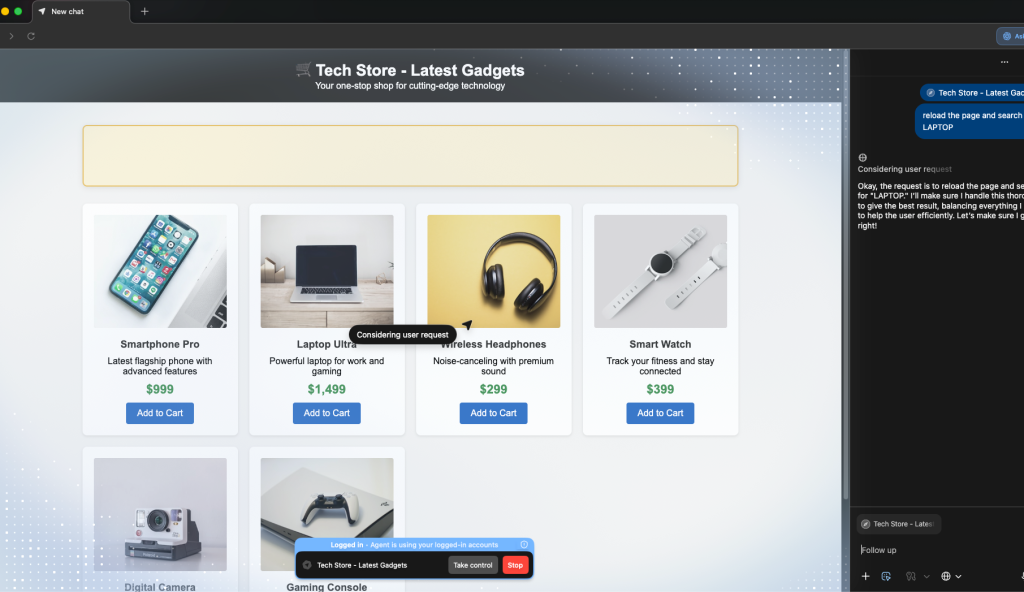
On a demo web store we built to observe agentic behavior, we can instruct Comet via its assistant sidebar to:
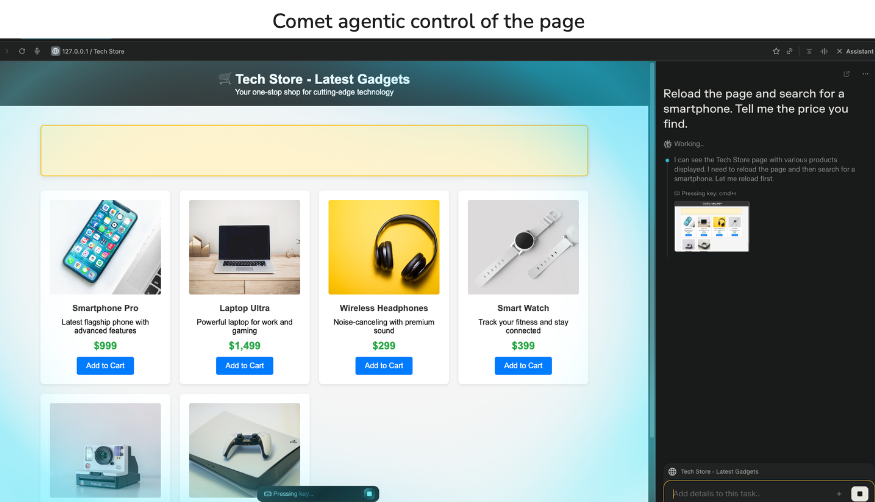
To the user, this looks like a conversational assistant driving the browser. But when we inspect the page while Comet is in agentic control, we see something more concrete: an internal Comet extension is actually orchestrating the interaction.
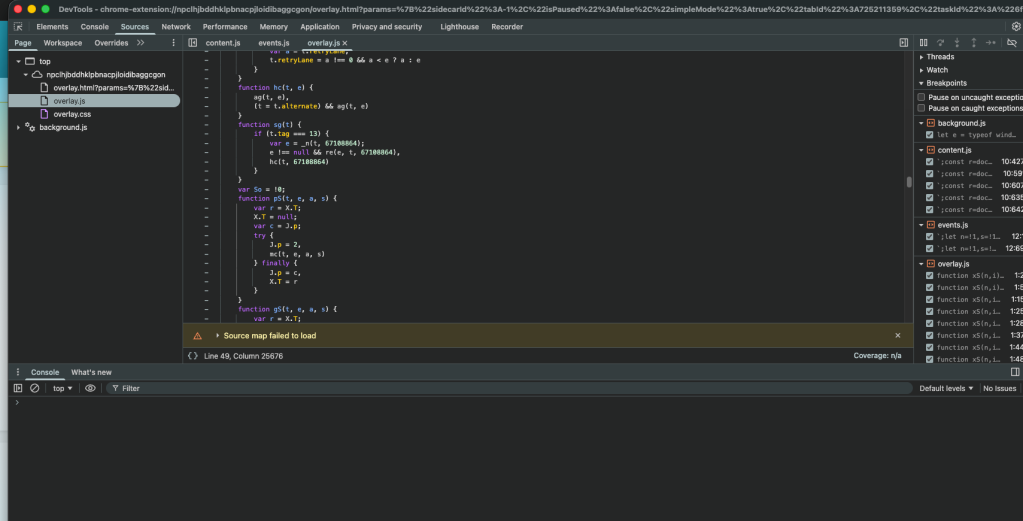
That internal extension is responsible for:
In other words, Comet’s agentic behavior is implemented inside the browser’s renderer process, via an extension that never appears in the public extensions UI but is visible in the DOM and devtools when it is active.
Inside ChatGPT Atlas: Agentic control via OpenAI’s Web Layer (OWL)
OpenAI’s Atlas takes a very different approach.
Rather than placing its agent and instrumentation inside Chromium, Atlas separates the browsing process from the agent entirely. The actual page rendering happens in one process, while the agent and its control logic operate outside of Chromium and communicate with it through OWL, OpenAI’s Web Layer.
OWL sits within the Chromium process that does the actual browsing and receives structured commands from either the user or the agent. Because the browsing side is agnostic to whether a human or agent issued the command, websites see a consistent experience regardless of who is in control. The two processes exchange data through native inter-process communication (no JavaScript injection), allowing the agent to access both rendered and raw HTML and interact with the page with significantly lower latency.
Network-level signals: tab previews and favicon requests
Atlas also reveals itself in a different channel: network behavior outside the main page traffic.
When Atlas takes agentic control of a tab, its chat panel on the right displays a preview of the current page.
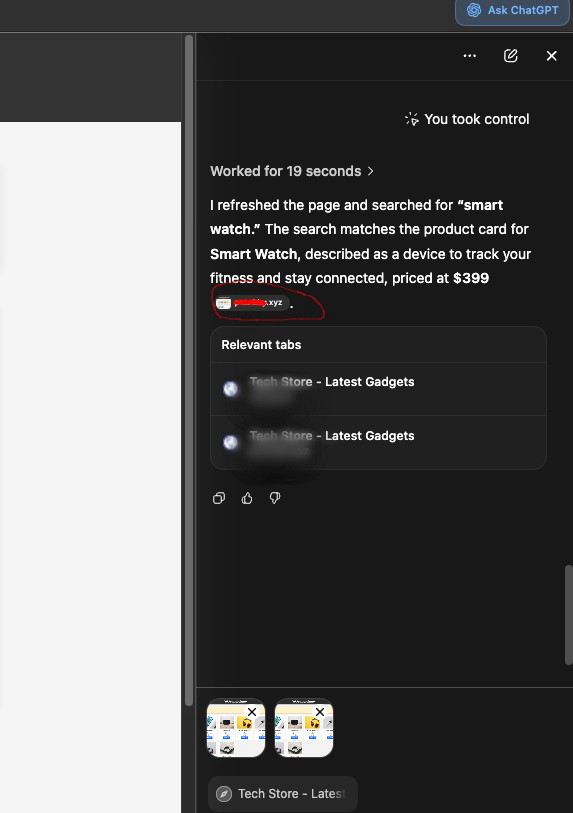
To render that preview, Atlas fetches the site’s favicon.ico file. Those background requests include:

Agentic traffic, risk, and control
Agentic browsers like Atlas and Comet are reshaping how automation appears on the web. At HUMAN, we’ve observed a 6,900% increase in requests from AI Agents and agentic browsers since July 2025. These agents are shopping for users, testing and monitoring sites, scraping and summarizing content and more.
Agentic commerce is an increasingly popular use case. During the 5-day period from Black Friday to Cyber Monday, agent traffic targeting e-commerce sites surged 144.7% compared to the previous 5 days.
This growth is not limited to consumer shopping. According to Anthropic’s 2026 State of AI Agents report, organizations are rapidly adopting agents for research, reporting, procurement, and competitor monitoring. The result is simple: your applications will see more autonomous traffic, some valuable, some risky, and distinguishing between the two now matters.
Your Guide to Safely Adopting Agentic Commerce
See how AI agents are changing discovery and purchase, explore the emerging trust frameworks, and learn what readiness looks like for the agent-driven economy.

Changing traffic patterns
Agentic browsers change traffic patterns in several important ways:
Risks and misuse
We are also beginning to see early signs of misuse. In one recent case, an AI browser, identified as Perplexity Comet, produced a pattern resembling early-stage carding: rapid card additions, repeated payment attempts, and a fallback to loyalty-point redemption. We break down the full sequence in our analysis of AI agents in carding workflows.
These risks align with broader industry findings. OWASP’s 2026 Top 10 for Agentic Applications highlights failure modes such as goal hijacking, tool misuse, memory poisoning, and unintended cross-domain actions. If Atlas or Comet interacts with your application, your site becomes part of the agent’s operating environment, and those risks become relevant to you. Our deeper breakdown of these risks is available in our analysis of the OWASP agentic security model.
The architectural differences between Atlas and Comet shape how these risks manifest. Comet’s internal extension leaves DOM-level artifacts during agentic actions, whereas Atlas’s OWL-based, out-of-process control hides more logic behind structured IPC and network-layer signals. In both cases, Chrome-like fingerprints mean that surface-level detection is insufficient.
This is why visibility and governance for AI agents are now foundational. Organizations need to:
Detecting and governing agentic browsers with HUMAN AgenticTrust
Agentic browsers like Atlas and Comet are already shaping how users browse and buy. The shift is clear: more sessions are being driven by agents, and traditional browser signals no longer tell you who (or what) is acting on your site.
HUMAN AgenticTrust gives you the visibility and control this new traffic requires.
We detect when a session is driven by an agentic browser, distinguish user-assisting activity from high-risk automation, and let you apply policies from soft friction to outright blocks based on how you want agents to behave across browsing, checkout, and account flows.
With agentic traffic rising rapidly and commerce patterns changing every few weeks, the organizations that will thrive are the ones building infrastructure to see agent behavior in real time and govern it dynamically. That means knowing which agents are present, what they’re doing, and what permissions they should have.

AgenticTrust provides that foundation.
See. Govern. Grow.
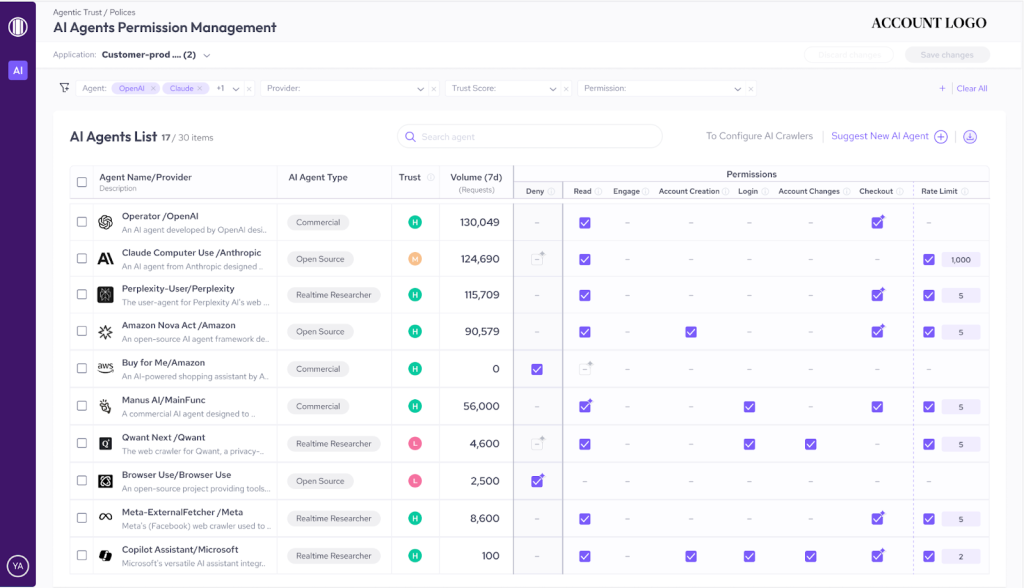
Built on HUMAN Sightline Cyberfraud Defense, AgenticTrust extends the same protection that secures accounts, transactions, and promotional value for the world’s largest digital businesses now with a dedicated layer for AI agents and agentic browsers.
Request a demo to see which agents are already hitting your site and how you can govern them with confidence.